How to Give an AI Agent a Task and Get Real Results
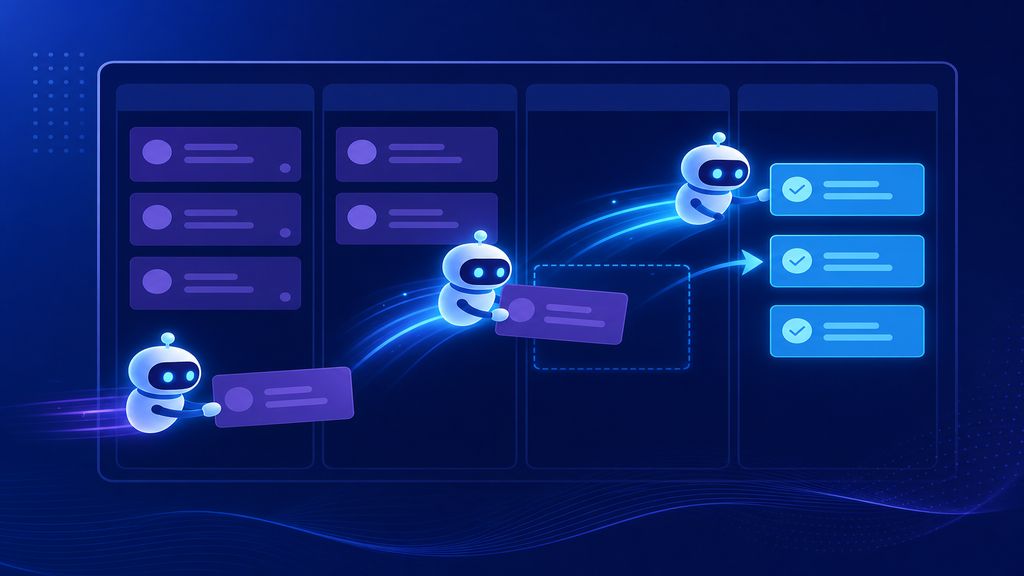
Most AI agents fail because people treat them like chatbots. A chatbot answers. An agent executes. The difference is how you frame the task, set constraints, and measure output.
❌ Why Most AI Agent Tasks Fail
People give AI agents vague instructions and expect perfect results. That's not how agents work. An agent is a loop: receive task → plan steps → execute → validate → report. If any link breaks, the whole chain fails.
The #1 mistake is treating an agent like a Google search. You ask a question, it gives an answer, done. But agents need context, constraints, and a clear success metric. Without those, you get hallucinations, incomplete work, or outputs you can't use.
I've run agents daily for content, data scraping, and workflow automation. The difference between a useless agent and one that saves 10 hours a week is always task design, not the model.
Here's what breaks: ambiguous goals ('research this topic'), no validation step ('just post it'), and forgetting that agents can't read your mind. If you don't specify format, length, tone, or structure, you'll get whatever the model defaults to.
The fix is simple: treat every task like a brief you'd give a junior hire. Be specific, be measurable, and build in checkpoints.
🧩 The Anatomy of a Working AI Agent Task
A task that works has five parts: goal, context, constraints, output format, and validation criteria. Skip one and you're gambling.
Goal: what the agent should accomplish. Not 'write a blog post',that's vague. Instead: 'write a 1500-word SEO blog post targeting the keyword "AI agent automation" with 5 H2 sections, 3 FAQs, and a comparison table of agent frameworks.'
Context: what the agent needs to know before starting. If it's writing content, give it your brand voice, audience profile, and examples of past work. If it's processing data, provide schema, sample rows, and edge cases.
Constraints: what the agent can't do. Time limits, token budgets, API rate limits, prohibited sources, or data privacy rules. I always include 'no fabricated statistics' and 'cite all claims' for content tasks.
Output format: JSON, markdown, CSV, plain text? Specify structure. For a research task, I ask for bullet points with citations. For code, I request inline comments and test cases.
Validation: how you'll check if the task succeeded. For content, it's SEO checklist compliance. For data tasks, it's schema validation and null-check. For automation, it's a test run on sample data before production.
Example Task Template
Goal: Extract product names, prices, and URLs from competitor site X. Context: Site uses dynamic loading, 200+ products, pagination. Constraints: Respect robots.txt, max 5 requests/second, no personal data. Output: JSON array with fields [name, price, url, last_updated]. Validation: All prices numeric, all URLs resolve, no duplicates.
**Task Template** - Goal: [what success looks like] - Context: [background info the agent needs] - Constraints: [limits, rules, prohibitions] - Output format: [structure, schema, example] - Validation: [how you'll verify correctness]
⚙️ How to Set Up the Task Execution Environment
Agents don't run in a vacuum. They need tools, permissions, and error handling. I use three layers: orchestrator, toolchain, and fallback.
Orchestrator: the script or platform that feeds tasks to the agent. This can be a cron job, a Slack bot, or a workflow tool like n8n. The orchestrator handles scheduling, retries, and logging. Without it, you're manually babysitting every run.
Toolchain: what the agent can access. APIs, databases, file systems, browser automation, code interpreters. If your agent needs to scrape a site, it needs a headless browser. If it's writing code, it needs a sandbox to test in. Misconfigured tools = failed tasks.
Fallback: what happens when the agent hits an error. Does it retry? Does it ask for human input? Does it log and skip? I set max retries to 3, then route failures to a review queue. Never let an agent silently fail.
Permissions matter. An agent with write access to your production database is a liability. Sandbox everything first. Test tasks on dummy data, then promote to live.
I run most agents in Docker containers or isolated Python environments. That way, if something breaks, it doesn't take down the rest of my stack.
Common Tool Mistakes
Giving the agent API keys without rate limit handling. Not setting timeouts on web requests. Letting the agent write files without size caps. Not logging tool calls for debugging. All of these will bite you in production.
| Platform | Best For | Cost | Learning Curve |
|---|---|---|---|
| LangChain | Custom Python workflows | Free (self-hosted) | Medium |
| AutoGen | Multi-agent collaboration | Free (self-hosted) | High |
| n8n | No-code automation | Free tier + paid | Low |
| Zapier AI | Simple triggers + actions | $20/mo min | Very low |
| Make.com | Complex workflows | Free tier + paid | Low-medium |
🔄 Real Task Examples (What I Run Daily)
I don't delegate tasks I wouldn't give to a junior team member. Here are three agents I run daily, with exact prompts and results.
Content Pipeline Agent: Every morning, this agent pulls trending keywords from my niche, generates 3 blog post outlines, and saves them to a drafts folder. Prompt: 'Find top 5 trending keywords in [niche] from the past 48 hours using [tool]. For each, generate a 1500-word blog outline with H2 sections, target keyword, and meta description. Output JSON.' Validation: keyword search volume >500/mo, outline has 5+ sections.
Data Refresh Agent: Runs every 6 hours, scrapes competitor pricing data, and updates my internal pricing sheet. Prompt: 'Visit [list of URLs], extract product name and price, compare to last snapshot, flag changes >10%. Output CSV.' Validation: all prices numeric, no missing fields, timestamp on every row.
Email Triage Agent: Reads my inbox every hour, categorizes emails (urgent / action / archive), and flags anything matching custom rules. Prompt: 'Read unread emails, classify by intent, extract action items, output to task manager via API.' Validation: no false positives on urgent tags, all action items have due dates.
None of these require me to check in unless validation fails. That's the goal: set it up once, let it run, review outputs weekly.
🛠️ Debugging When Tasks Go Wrong
Agents fail. The question is whether you can diagnose why in under 5 minutes or spend an hour guessing.
First: check logs. If your agent doesn't log task input, tool calls, and output, you're flying blind. I log everything to JSON files with timestamps. When something breaks, I grep the logs for the task ID.
Second: replay the task manually. Copy the exact prompt, context, and tool calls into a test environment. Does it fail the same way? If yes, it's a prompt or tool issue. If no, it's environment or timing.
Third: inspect tool call responses. Most agent failures are API errors, rate limits, or malformed data. If your agent calls an API and gets a 429 (rate limit), but you didn't code retry logic, it just dies.
Fourth: validate inputs. Garbage in, garbage out. If you feed an agent a broken CSV or an outdated API endpoint, no amount of prompt engineering will save it.
I keep a 'known failure' runbook. When a task fails for a repeatable reason (e.g., site structure changed, API deprecated, edge case in data), I document it and update the agent's constraint list. Over time, failures drop to near zero.
✅ Pre-Deployment Checklist for AI Agent Tasks
Before you let an agent run unsupervised, walk through this checklist. I use it for every new task, no exceptions.
This list has saved me from publishing broken content, leaking data, and burning API credits on infinite loops. Print it, pin it, use it.
- ✔Task goal is specific and measurable
- ✔Context includes all necessary background data
- ✔Constraints are explicit (time, cost, permissions)
- ✔Output format is defined with examples
- ✔Validation criteria are testable
- ✔Agent has access to required tools
- ✔Tool permissions are scoped (no excess access)
- ✔Error handling and retries are configured
- ✔Logs capture task input, tool calls, and output
- ✔Task has been tested on sample data
- ✔Failure mode is documented (what happens if it breaks)
- ✔Human review checkpoint exists (if needed)
❓ Frequently Asked Questions
What's the difference between an AI agent and a chatbot?
A chatbot responds to prompts. An agent executes multi-step tasks autonomously using tools. Chatbots are stateless (each turn is independent). Agents maintain context, plan actions, and iterate until a goal is met.
Do I need to code to run AI agents?
Not always. No-code platforms like n8n and Zapier let you build agent workflows with drag-and-drop. But for custom logic, error handling, and tool integration, you'll hit limits fast. Python + LangChain gives you full control.
How do I stop an agent from hallucinating or making things up?
Three ways: constrain tool access (so it can only pull real data), require citations for every claim, and validate outputs against a schema or checklist. If the agent can't call a search API or database, it has nothing to hallucinate from.
What tasks should I NOT delegate to an AI agent?
Anything requiring legal judgment, medical diagnosis, or high-stakes financial decisions. Also avoid tasks where failure is invisible or costly (e.g., auto-posting to social without review, auto-replying to customers). Agents are assistants, not replacements for expertise.
How much does it cost to run AI agents daily?
Depends on model and usage. GPT-4 agents cost $0.01–0.10 per task depending on length. Open-source models (via Ollama or Llama) are free but slower. My daily agent workload costs ~$3/month using Claude Haiku for most tasks and Opus for complex ones.
🏁 Final Thoughts
Here's what matters: task design beats model choice every time. A well-structured task on GPT-3.5 will outperform a vague one on GPT-4. Start with the five-part template (goal, context, constraints, format, validation), test on sample data, and log everything. Once you have one working agent, scaling to 10 is just copy-paste. If you want templates, debugging workflows, and agent architecture deep dives, I've packaged everything I use into a guide. It's called 'Agents at Work' and covers task design, toolchain setup, and production deployment patterns. Intro version is $19.99, advanced is $23.99. No fluff, just what works.
Last updated: June 30, 2026 · Keyword: AI agent task · Agents at Work


Comments
Post a Comment