How to QA AI Agent Output Before Using It (2026 Guide)
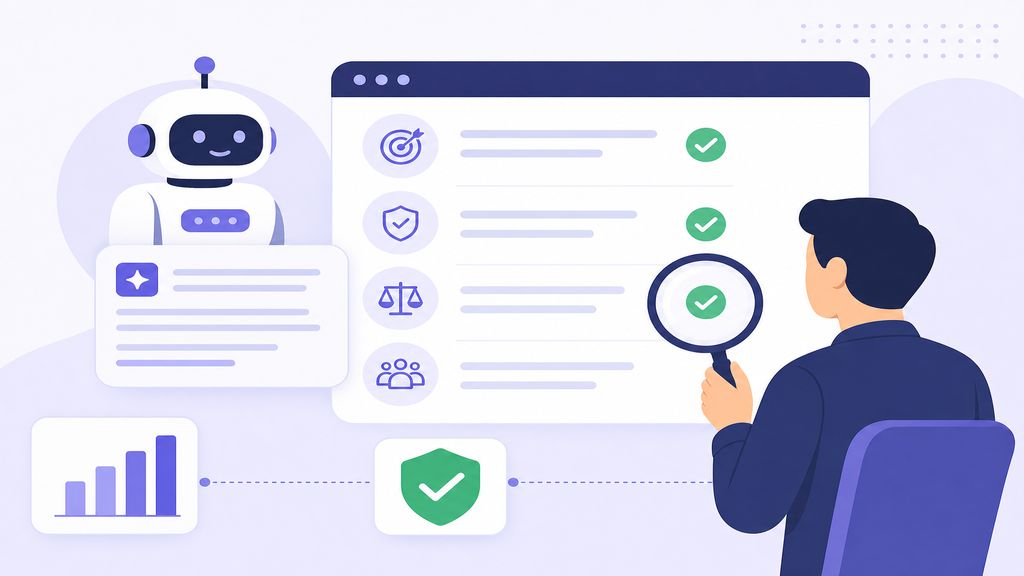
AI agents promise automation, but one wrong output can tank your workflow. Here's how to quality-check agent results before they reach production—no matter which model you're using.
⚠️ Why Most AI Agent Outputs Fail Without QA
AI agents—whether you're using Claude Sonnet 4.6, GPT-4o, or a custom-built solution—operate on probabilistic reasoning. They don't "know" if their output is correct; they generate what seems most likely based on training data and prompts. This creates three core failure modes.
First, hallucination: agents confidently fabricate data, especially when asked for specific numbers, URLs, or code documentation that wasn't in their training set. Second, context drift: long-running agents lose track of earlier instructions and produce outputs that contradict their own prior work. Third, silent edge-case failures: the agent handles 95% of cases perfectly but breaks on the 5% you didn't test for—often the most critical ones.
Without a QA layer, these errors propagate downstream. A code agent might generate syntactically correct but logically broken functions. A data analysis agent might misinterpret schema changes and output plausible-looking but wrong insights. A customer service agent might hallucinate company policies.
The cost of skipping QA isn't just bugs—it's trust erosion. Once your team catches one major agent error in production, they'll question every future output, defeating the automation value. The solution isn't to stop using agents; it's to build verification into your workflow from day one.
🔍 The 5-Layer QA Framework for Agent Outputs
Quality-checking AI agent output requires multiple verification layers. No single check catches everything. Here's the framework I use across Claude Code, Anthropic API agents, and OpenAI-based tools.
Layer 1: Syntax and format validation. Before evaluating content, verify the output matches expected structure. If you asked for JSON, validate it parses. If you requested markdown, check heading hierarchy. Use schema validation libraries (Zod for TypeScript, Pydantic for Python) to catch malformed outputs immediately.
Layer 2: Factual cross-reference. For any output claiming factual information—API endpoints, function signatures, company policies—cross-check against ground truth. Don't assume the agent "remembers" your codebase correctly. I use git grep and documentation search before trusting any agent-cited code reference.
Layer 3: Logic and consistency checks. Does the output contradict itself? If the agent generated a multi-step plan, do the steps actually connect? For code, run linters and type checkers (TypeScript strict mode, mypy). For content, check that examples match the principles stated earlier.
Layer 4: Edge case testing. Agents optimize for common paths. Deliberately test boundary conditions: empty inputs, maximum length strings, null values, error states. I keep a test suite of "weird inputs" that broke agents previously and run new outputs against it.
Layer 5: Human spot-check on representative samples. Full manual review doesn't scale, but reviewing 10-20% of outputs catches patterns automated checks miss. Focus on high-risk cases: anything user-facing, financial calculations, or security-sensitive operations.
Automated vs. Manual QA: When to Use Each
Automate syntax, format, and basic logic checks—these run instantly and catch 70% of issues. Reserve human review for semantic correctness, brand voice, and nuanced judgment calls. If your agent generates customer emails, automate tone analysis but manually review 10% for edge cases where tone rules conflict with context.
🛠️ Testing Claude, GPT, and Custom Agents: Tool-Specific Approaches
Different agent architectures require tailored QA strategies. Here's how to quality-check outputs from the most common platforms.
For Claude-based agents (Sonnet 4.6, Opus 4.8), leverage the model's strength in following structured instructions. Use system prompts that demand output validation: "Before finalizing, verify each factual claim against provided documentation." Claude's extended context window (200K+ tokens) means you can include reference materials directly in the prompt for cross-checking. I also use Claude's tool use feature to force structured outputs—when the agent must call a specific function with typed parameters, malformed responses fail immediately.
For GPT-4o and GPT-4-turbo agents, function calling is your primary QA hook. Define strict JSON schemas for outputs and let OpenAI's function validation catch format errors. Be aware that GPT models are more prone to overconfidence on factual questions—always enable temperature < 0.5 for factual tasks and cross-reference any specific claims.
For custom agents built on open models (Llama 3.3, Mistral Large 2, Gemini 2.0 Flash), you have less built-in validation. Implement output parsers that fail loudly on unexpected formats. Use constrained decoding libraries (guidance, outlines) to limit what the model can generate. And crucially, log all inputs and outputs—when a custom agent fails, you need the full context to debug.
For multi-agent systems (e.g., AutoGPT-style loops), add checkpoint validation between agent steps. Don't let Agent B consume Agent A's output without verification. I use a "critic agent" pattern: a separate lightweight model that reviews outputs for obvious errors before they propagate.
| Platform | Primary QA Method | Best For | Watch Out For |
|---|---|---|---|
| Claude Sonnet 4.6 / Opus 4.8 | Structured prompts + tool use validation | Long-context tasks, code generation | Cost on large contexts |
| GPT-4o / GPT-4-turbo | Function calling + JSON schema | Conversational agents, RAG systems | Hallucination on edge facts |
| Custom (Llama, Mistral, Gemini) | Constrained decoding + output parsers | Privacy-sensitive, on-prem deployments | Requires more validation code |
| Multi-agent systems | Inter-agent critic validation | Complex workflows, research tasks | Error propagation across steps |
🐛 Common Output Errors and How to Catch Them
After QA-ing thousands of agent outputs, certain error patterns repeat. Here's what breaks most often and the fastest way to detect each.
Hallucinated references: The agent cites a function, API endpoint, or document that doesn't exist. Detection: Maintain a registry of valid references and programmatically verify any agent-cited identifier against it. For code agents, run grep searches for function names before trusting them.
Format drift: Output starts in the requested format but degrades partway through (e.g., JSON becomes malformed after line 50). Detection: Parse the entire output, not just the first successful parse. I've caught agents that generate valid JSON for 90% of a response then append unstructured text.
Context misalignment: The agent answers a different question than asked, often because it latched onto a keyword in your prompt. Detection: Use semantic similarity checks between your original request and the agent's interpretation. If the agent restates your question in its response, verify that restatement matches your intent.
Incomplete execution: The agent starts a multi-step task, completes 80%, then silently stops. Detection: For task-based agents, define explicit completion criteria upfront ("output must include sections A, B, and C") and validate all criteria are met.
Overfitting to examples: You provide 2-3 examples, and the agent's output is suspiciously similar to those examples rather than generalizing. Detection: Include one "trick" example that shouldn't be directly copied. If the agent's output closely mirrors that trick case, it's pattern-matching, not reasoning.
The 10-Second Manual Scan
Before diving into detailed validation, do a 10-second visual scan: Does the output length match expectations? Are there obvious formatting breaks (unmatched brackets, mid-sentence cutoffs)? Does the tone match prior outputs? This catches 30% of errors instantly and saves time on outputs that don't warrant deep checks.
✅ Building Your Pre-Deploy QA Checklist
Before any agent output goes to production—whether that's deployed code, published content, or customer-facing responses—run through this checklist. Customize based on your use case, but these items apply universally.
First, confirm the output directly addresses the prompt. It sounds obvious, but agents sometimes deliver adjacent content that sounds plausible but misses the core request. Reread your original prompt and verify point-by-point correspondence.
Second, validate all factual claims. If the agent cited a statistic, linked a document, or referenced a prior decision, verify each one. For code, this means checking that imported modules exist and function signatures match current versions. For content, this means confirming any external references.
Third, test error handling. If the output is code, what happens with invalid input? If it's a workflow, what happens when a step fails? Deliberately break things to see if the agent anticipated edge cases.
Fourth, check for security vulnerabilities. Did the agent inadvertently expose credentials, create injection vulnerabilities (SQL, command, XSS), or suggest insecure practices? Run static analysis tools (Semgrep, Bandit) on any generated code.
Fifth, verify consistency with existing systems. Does the output follow your team's conventions—naming patterns, code style, brand voice? Inconsistency creates downstream confusion even if the output is technically correct.
Sixth, assess reversibility. If this output turns out to be wrong, how hard is it to undo? High-risk, low-reversibility outputs (database migrations, public announcements) need extra scrutiny.
- ✔Output directly answers the original prompt (point-by-point check)
- ✔All factual claims verified against ground truth sources
- ✔Edge cases and error conditions tested (invalid inputs, failures)
- ✔Security scan completed (no exposed secrets, injection risks, or unsafe patterns)
- ✔Consistency with team conventions confirmed (style, naming, voice)
- ✔Reversibility assessed (can you undo if this is wrong?)
- ✔Format validation passed (JSON parses, markdown renders, code compiles)
- ✔Human spot-check on high-risk sections completed
💡 Real-World QA Examples: Code, Content, and Data Agents
Abstract frameworks help, but here's how QA looks in practice across different agent types.
Code generation agent (Claude Code, GitHub Copilot): I asked Claude Sonnet 4.6 to refactor a Python API endpoint. QA process: (1) Read the generated code to verify it matched the original endpoint's behavior. (2) Ran mypy and black to catch type errors and style issues. (3) Checked that imported libraries were in requirements.txt. (4) Wrote a test case for the refactored function and confirmed it passed. (5) Manually reviewed error handling—the agent had added try-except blocks, but they caught overly broad exceptions. Fixed that before merging.
Content generation agent (GPT-4o via API): I used a custom agent to draft blog intros based on topic keywords. QA process: (1) Verified the intro actually introduced the topic (early versions sometimes buried the lede). (2) Checked that no fabricated statistics appeared—flagged any numbers and traced them to sources. (3) Ran a plagiarism check to ensure the agent didn't regurgitate training data verbatim. (4) Confirmed brand voice by comparing to previous human-written intros. (5) Had a team member read 3 random samples to catch tone issues I'd miss.
Data analysis agent (custom Python agent with Gemini 2.0 Flash): I built an agent to summarize user behavior logs and flag anomalies. QA process: (1) Compared agent-generated summaries to raw log samples to verify accuracy. (2) Tested on known anomaly cases to confirm detection worked. (3) Checked that the agent didn't accidentally expose PII in summaries. (4) Validated SQL queries the agent generated—early versions had off-by-one errors in date filters. (5) Ran outputs through a schema validator to ensure downstream systems could ingest them.
In every case, automated checks caught 60-70% of issues. Human review caught nuanced problems: logic errors, missing context, tone mismatches. The combination is what makes agent output production-ready.
❓ Frequently Asked Questions
How much QA is too much for AI agent outputs?
Balance cost and risk. For low-stakes outputs (internal drafts, exploratory code), light automated validation is enough. For production deployments, customer-facing content, or financial operations, run the full 5-layer framework. The key is defining risk upfront: what happens if this output is wrong? Let that guide QA depth.
Can I trust Claude or GPT to self-check their own outputs?
Partially. Asking an agent to "review your response for errors" catches some issues, especially formatting and obvious logic breaks. But agents have blind spots—they won't catch hallucinations they're confident about. Use self-checking as Layer 1, not the only check. I often run a second, separate agent as a critic for high-stakes outputs.
What tools automate AI agent QA?
For code: linters (ESLint, Ruff), type checkers (TypeScript, mypy), and test frameworks (pytest, Jest). For structured outputs: JSON schema validators (Zod, Pydantic). For content: plagiarism checkers (Copyscape) and fact-checking APIs. For general QA: build a lightweight validation pipeline using LangChain or LlamaIndex to orchestrate checks.
How do I QA agents that use tools or APIs?
Verify tool calls separately from the agent's reasoning. Log every tool invocation, check that parameters are valid, and confirm the tool's response matches what the agent assumes it got. For API-calling agents, use staging environments so errors don't hit production. I also mock API responses during testing to ensure the agent handles failures gracefully.
Should I QA every single agent output or sample?
Sample for most use cases. QA 100% of outputs initially until error rates drop below your threshold (I use 2% as a target). Then shift to sampling—10-20% random selection for ongoing monitoring. Always QA 100% of high-risk outputs: anything irreversible, security-sensitive, or user-facing without human review.
🏁 Final Thoughts
AI agents amplify productivity, but only if their outputs are reliable. The 5-layer QA framework—syntax validation, factual cross-reference, logic checks, edge case testing, and human spot-checks—catches errors before they propagate. Tailor your approach to the agent platform (Claude, GPT, custom models) and always match QA depth to output risk. Start with the pre-deploy checklist in this guide, automate what you can, and reserve human review for high-stakes decisions. What's your biggest QA challenge with AI agents? Drop a comment—I'd love to hear how you're handling verification in production.
Last updated: July 02, 2026 · Keyword: QA AI agent output · Agents at Work


Comments
Post a Comment